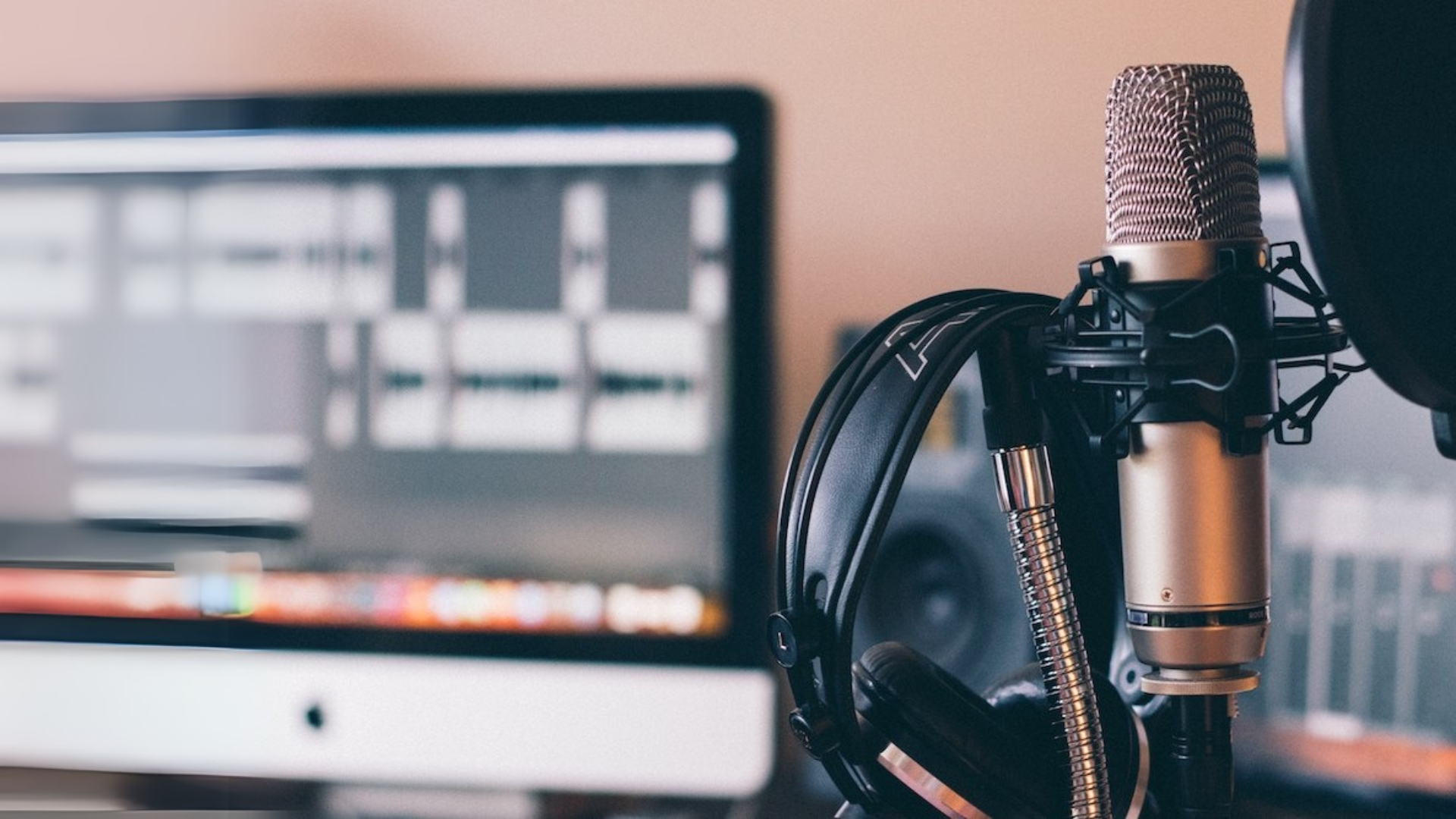
Voiceover work is one of the most portable careers a digital nomad can have. Whether you’re narrating audiobooks from a beach hut in Bali or recording e-learning modules in a cozy Kyoto apartment, your voice can travel the world—if you’re prepared.
But here’s the thing: even the most talented voice won’t shine without the right equipment. Good audio quality isn’t just a “nice to have”—it’s a must. The great news? You don’t need to lug around a full studio. With the right compact tools, you can build a professional-grade setup that fits right into your carry-on.
In this guide, I’ll walk you through the essentials you need to create crisp, clean voice recordings wherever you roam. No fluff. Just the gear that gets the job done.
9 Essential Equipment for Voiceover Work on the Go
Before you jet off to your next adventure, let’s talk gear. To make your voiceover setup truly travel-ready, you’ll need a few trusty tools that fit in your bag but pack a professional punch.
1. A Good Mic—Because Your Laptop Mic Just Won’t Cut It

Photo from
https://www.cameralabs.com
Let’s start with the star of the show: your microphone. If you want your voice to sound clear and professional, a quality mic is non-negotiable. Built-in laptop mics? They just can’t deliver the richness and detail your recordings deserve.
Luckily, there are plenty of travel-friendly microphones out there that are both compact and powerful. Here are a few top picks:
| Microphone | Type | Features | Why It’s Great |
| Rode NT-USB Mini | USB | Compact, plug-and-play, great clarity | Super portable and beginner-friendly—perfect for quick setups anywhere. |
| Audio-Technica AT2020 USB+ | USB | Studio-quality sound, easy setup | Offers rich, professional audio without needing extra gear—ideal for travel studios. |
| Shure MV7 | USB/XLR | Hybrid connection, built-in DSP, podcast-friendly | Versatile for both beginners and pros—grow with it as your skills expand. |
These mics are durable, easy to pack, and ideal for creators on the go.
2. Pop Goes the Plosive! – Why a Is a Power Tool

Photo from https://cloudfront.net
You know those annoying bursts of air that hit the mic when you say “P” or “B”? Those are called plosives, and a pop filter is your best defense against them. It may seem like a small, simple accessory, but it plays a big role in making your voice recordings sound clean and professional.
Pop filters act as a barrier between your mouth and the microphone, diffusing those sudden puffs of air before they reach the mic. The result? Smoother audio and fewer editing headaches.
If you’re a digital nomad or just on the move a lot, there are travel-sized pop filters and foam windshields made just for you. Many are lightweight, collapsible, and easy to pack—some even fold flat or attach directly to your mic stand. It’s one of those often-overlooked tools that quietly keeps your sound crisp, clear, and client-ready.
3. Get Proper Headphones – Tune In, Don’t Zone Out

Photo from
https://www.soundguys.com
Monitoring your recordings is key, and you can’t do that well with Bluetooth earbuds or tinny laptop speakers. They often color the sound or miss the finer details—like mouth clicks, background hums, or subtle plosives—that can ruin a great take.
That’s why closed-back studio headphones are a voiceover nomad’s best friend. They offer accurate sound with minimal bleed, helping you hear exactly what your audience will hear. This means you can fix issues on the spot instead of discovering them later during editing.
Here are some great portable options worth packing:
- Audio-Technica ATH-M50x – Crisp, balanced sound with a collapsible design that fits easily into your travel bag.
- Sony MDR-7506 – A studio classic for a reason: super lightweight, reliable, and known for its detailed audio reproduction.
- Beyerdynamic DT 240 Pro – Designed with mobile creators in mind, offering solid isolation and a compact, durable build.
With these headphones, you’ll catch mistakes before they happen—and save yourself hours in post-production.
4. Studio in a Suitcase – Use a Portable Sound Booth

Photo from amazon
Even with a great mic, your recording space can make or break your sound. Room echo, background noise, and hard surfaces can create unwanted reverb that muddies your voice. That’s where portable sound booths and reflection filters step in—they tame the acoustics and help your voice shine through.
These tools absorb sound reflections and minimize external noise, giving your recordings that smooth, studio-like quality—even if you’re in a hotel room or a beach hut.
Top portable options for voiceover nomads:
- Kaotica Eyeball – A compact, foam ball that slips over your mic. It blocks ambient noise and works great in small or echoey rooms.
- Vocal Booth To Go – Full travel kits that include sound-absorbing blankets and portable frames to create a mini recording studio wherever you are.
- DIY Tip – No booth? No problem. Surround your mic with pillows, blankets, or even record inside a closet full of clothes. It’s a classic trick that still works wonders!
With a little creativity and the right tools, you can transform any room into a professional-sounding recording space.
5. Audio Interface Might Be Your Best Friend
If you’re ready to level up your sound quality, an XLR microphone is the way to go. But there’s a catch: XLR mics don’t connect directly to your laptop like USB ones. That’s where an audio interface comes in. Think of it as the translator between your mic and your computer. It powers your mic, captures high-quality audio, and gives you control over gain levels and monitoring.
The best part? Many audio interfaces today are super compact and perfect for travel setups. Here are a couple of top picks:
| Audio Interface | Features |
| Focusrite Scarlett Solo | Clean, professional-grade sound; rugged and reliable; great for beginners |
| PreSonus AudioBox GO | Ultra-lightweight and USB-powered; ideal for tight travel spaces and smaller budgets |
Even if you’re starting with a USB mic, it’s worth keeping an audio interface on your future gear wishlist. It opens the door to using higher-end microphones and gives you better sound control—something your future self (and your clients) will thank you for.
6. Your Laptop or Tablet Is Mission Control

Photo from https://www.joyoshare.com
You don’t need a fancy desktop rig with blinking lights and massive screens. In fact, most digital nomad voiceover artists get amazing results using just a lightweight laptop or tablet. It’s all about using the right tools—and knowing how to work them.
Your computer or tablet becomes the heart of your mobile studio. All your recordings, edits, and exports happen here. Pair it with a solid DAW (Digital Audio Workstation)—that’s your audio editing software—and you’re good to go.
Here are some popular DAWs to explore:
- Audacity – Free, open-source, and beginner-friendly. Perfect for getting started without spending a dime.
- Adobe Audition – Professional-level tools with deep editing features. Ideal for serious voice artists.
- GarageBand – Great for Mac users, with a clean interface and solid capabilities.
Want to go ultra-portable? Try Ferrite on the iPad. It’s a surprisingly powerful app that fits in your palm and lets you edit like a pro from anywhere—plane seats, beach cafés, or hammock studios. Whether you’re editing long-form narration or quick voiceovers, your device + DAW combo is your creative command center.
7. Stand Tall (or Small) – Don’t Let Your Mic Wobble
Holding your mic in your hand or balancing it on random books isn’t just uncomfortable—it can ruin your audio. You need a reliable, compact mic stand to keep things steady and professional.
Look for foldable desktop mounts or mini tripods that easily tuck into your bag. These travel-friendly options offer stability without taking up much space. A sturdy stand keeps your setup steady and your sound sharp, ensuring every take is flawless and sharp.
8. Back It Up, Always – Don’t Let Your Recordings Vanish
Imagine losing all your work from a tropical café in Thailand. Nightmare, right? Always back up your recordings to avoid this disaster. Here are some top storage tools that can save the day:
| Storage Option | Type | Why It’s a Good Choice |
| Google Drive / Dropbox | Cloud-based, auto-sync | Automatically syncs your files, accessible anywhere, and keeps you safe from device failures. |
| Samsung T7 SSD | Super-fast, sleek, fits in your pocket | With lightning-fast data transfer speeds and compact design, it’s perfect for traveling without sacrificing performance. |
| SanDisk Extreme SSD | Rugged, water-resistant, travel-tough | Designed for tough environments, it can withstand drops, water, and extreme temperatures—ideal for nomadic life. |
Back it up twice if you can—cloud and physical storage. That way, you’re covered no matter what happens while you’re on the move.
9. Power Up – Stay Charged, Stay Creative
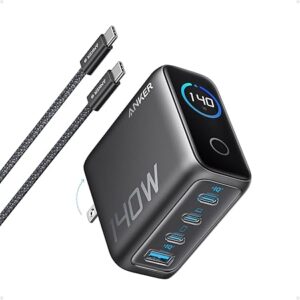
Photo from amazon
Power is everything. Without it, your gear is just fancy paperweights. Whether you’re in a bustling city or a remote corner of the world, staying charged is crucial to keeping your voiceover business running smoothly.
Here’s what you can’t afford to leave home without:
- A universal adapter – For global compatibility, ensuring you can plug in anywhere without worrying about voltage mismatches.
- A power bank – For backup energy on the go, especially when you’re out exploring or in places where power outlets are scarce.
- A travel surge protector – Protect your valuable tech from power surges and electrical mishaps, ensuring everything stays in working order.
- Optional: A solar charger – Perfect for remote adventures or when you’re off-grid. Keep your devices powered even when you’re miles from the nearest outlet.
Stay powered, stay productive. With these essentials in your bag, your creativity won’t miss a beat, no matter where you are.
Start Small, Grow Big – It’s Okay to Keep It Simple (For Now)
Let’s be real—voiceover gear can get pricey. But here’s the good news: you don’t need to buy everything all at once. If you’re just starting out, it’s perfectly fine to begin with a solid USB mic, some DIY soundproofing, and free editing software.
As your skills (and gigs) grow, you can slowly upgrade. Think of this gear list as your future wishlist—not a shopping cart you have to fill today. Start with the basics, and build up as you go. Even the pros started somewhere!
Here’s a table ranking the 9 essential pieces of equipment for starting voiceover work based on their importance:
| Rank | Equipment | Why It’s Important |
| 1 | A Good Mic | The core of your setup. Without a high-quality mic, even the best gear won’t make your recordings sound professional. |
| 2 | Headphones | Crucial for monitoring your recordings and catching mistakes before they happen. |
| 3 | Pop Filter or Windshield | A small tool with a huge impact on sound quality. It prevents unwanted popping sounds that could ruin a recording. |
| 4 | Portable Sound Booth/Reflection Filter | Helps eliminate room echo and external noise, ensuring your recordings are clear and professional. |
| 5 | Audio Interface (if using XLR mic) | If you opt for an XLR mic, this is essential for connecting and powering it, and offering better control over your audio. |
| 6 | Laptop or Tablet with DAW Software | The brain of your setup. You need software to edit, record, and produce your voiceovers. |
| 7 | Mic Stand | Ensures stability and comfort while recording. Balancing your mic on objects can lead to unwanted noise. |
| 8 | Backup Storage | Backing up your recordings is essential to prevent losing valuable work, especially while traveling. |
| 9 | Power Supply & Surge Protector | Keeping your gear powered and protected is a must for long recording sessions. Essential for ensuring your tech stays safe and functional. |
While all these items are crucial, the top 5 are essential to start recording professional voiceovers, and the rest can be added as your setup evolves.
Little Things, Big Wins – Bonus Tools That Matter
Here are a few more tools that can make a surprising difference:
- Portable Acoustic Blankets – These are a great quick fix for soundproofing any space. They help absorb unwanted reflections and block out external noise, making them perfect for creating a makeshift recording booth on the go.
- Laptop Stands – Besides offering comfort, laptop stands promote better posture and airflow. This keeps you cool during long recording sessions while also helping to elevate your laptop for a more ergonomic setup.
- Anti-Vibration Pads – These small but mighty pads absorb vibrations that could otherwise affect your mic’s clarity. Placing them under your mic stand or other equipment helps minimize any unwanted bumps or sounds.
- Noise-Canceling Software – Tools like iZotope RX Elements or Krisp are great for cleaning up background noise that may sneak into your recordings. Whether it’s the hum of air conditioning or street sounds, these tools can make a noticeable difference in sound quality.
Each of these tools offers a small but valuable upgrade to your recording setup, helping you achieve professional-quality results on the go.
Travel Light, Sound Big

Photo from https://www.freepik.com/
Voiceover work doesn’t have to stay locked in a studio. With the right setup, your voice can follow you anywhere—from mountain villages to seaside escapes.
Invest in smart, compact tools that suit your travel style. You don’t need the most expensive equipment to sound professional. Focus on essentials like a quality microphone and noise-canceling headphones. These simple, portable tools will help you create great recordings no matter where you are.
So gear up, pack smart, and let your voice be heard around the world. Your story—and your sound—deserve a global stage.
Frequently Asked Questions (FAQs)
Do I really need a portable sound booth?
While not absolutely necessary, a portable sound booth helps block out unwanted noise and reduces echo, making your recordings sound more polished.
What’s the difference between USB and XLR microphones?
USB mics are plug-and-play and perfect for beginners, while XLR mics offer higher sound quality and more control, often requiring an audio interface.
Is it okay to use Bluetooth headphones for monitoring my voice recordings?
Bluetooth headphones are generally not recommended. For accurate sound, closed-back, wired headphones are ideal for voiceover work.
Can I record voiceovers on my tablet or phone?
Absolutely! Apps like Ferrite for iPad allow for on-the-go recording with high-quality results.
What’s the best way to travel with my voiceover equipment?
Invest in a sturdy carrying case or backpack with compartments to protect your gear. Always keep your equipment in carry-on luggage to avoid potential damage.