E-commerce has transformed the way we shop, making it easier than ever to buy and sell products online. From fashion to gadgets, food to furniture, nearly every industry has embraced this digital revolution. As a result, more entrepreneurs and businesses are jumping on the e-commerce bandwagon.
But here’s the catch—choosing the right e-commerce platform for your store is crucial for success. With so many options available, it can be overwhelming to figure out which one is the best fit for your business. Don’t worry though, we’ve got your back! This guide will walk you through the top e-commerce platforms, helping you decide which one suits your needs the best.
A Brief Info About E-Commerce: What’s the Buzz About?

Photo from stockcake.com
E-commerce is simply the buying and selling of goods or services online. It’s grown rapidly due to the internet’s reach and the convenience it offers both businesses and customers. Whether you’re a solopreneur selling handmade jewelry or a growing brand with global ambitions, e-commerce allows you to reach a wider audience than ever before.
The right platform not only helps you manage your products but also streamlines your business processes, making it easier to handle sales, payments, and customer relations.
Key Factors to Consider When Choosing an E-Commerce Platform
Choosing the best e-commerce platform isn’t just about picking the one that looks the prettiest. Here are the essential factors you should keep in mind:
1. Ease of Use: Simple Setup, Happy Sales
You want a platform that’s easy to set up and navigate. If you’re just starting out, a user-friendly interface is a must. The easier the platform, the faster you can get your store up and running!
2. Cost and Pricing Structure: Know What You’re Paying For
The cost of an e-commerce platform can vary greatly, with some offering free plans and others requiring monthly fees. Always check the pricing structure, including hidden costs like transaction fees and premium features. Make sure the platform fits your budget.
3. Customization Options: Make It Your Own
A customizable store is key to creating a unique brand identity. The more options for design and features, the better. Make sure the platform offers enough flexibility to make your store look and feel like yours.
4. Payment Gateways and Transaction Fees: Let’s Talk Money
Every e-commerce platform comes with different payment options and transaction fees. You’ll need to ensure that your chosen platform supports popular payment methods and offers reasonable fees.
5. Scalability and Growth Potential: Grow with Confidence
Your platform should grow with your business. Look for scalability options to handle increasing traffic, products, and orders. A good platform will offer the flexibility to expand as your business flourishes.
6. Customer Support and Resources: Help When You Need It
Customer support is crucial when you’re running an online store. Whether it’s a live chat, email support, or a comprehensive help center, make sure the platform offers reliable support.
7. Integrations with Third-Party Tools: All About Efficiency
Your e-commerce platform should integrate with essential third-party tools like CRMs, inventory management software, email marketing tools, and more. This helps automate your business processes and keeps everything running smoothly.
Overview of the Top 7 E-Commerce Platforms
In this guide, we’ll explore seven popular platforms, each with its own strengths. Whether you’re just starting or you’re a more advanced seller, there’s a platform that can meet your needs.
1. Shopify: The King of Ease and Functionality
Photo from https://stacknize.com
Shopify is arguably one of the most popular e-commerce platforms on the planet—and for good reason. It’s beginner-friendly, beautifully designed, and packed with everything you need to launch, run, and grow your online store. Whether you’re selling handmade crafts or dropshipping products from across the world, Shopify has your back.
Its drag-and-drop interface makes designing your storefront feel like a breeze, even if you have zero coding skills. You’ll find a wide variety of professional-looking themes (both free and paid) to make your shop stand out. Plus, it comes with built-in tools for managing inventory, shipping, taxes, and payments, so everything stays streamlined in one place.
Shopify also shines with its extensive app store—offering thousands of plugins to add extra features, from marketing automations to customer reviews. Need help? Their 24/7 customer support is top-notch and super helpful for beginners who might hit a few speed bumps early on.
Pricing and Plans:
- Basic Shopify – $39/month
- Shopify – $105/month
- Advanced Shopify – $399/month
- Each plan offers different features based on your business size and needs—like advanced reporting tools, staff accounts, and shipping discounts.
Best For: Entrepreneurs, small business owners, and digital nomads looking for a simple, scalable, and reliable e-commerce solution.
Pros:
- Super easy to set up and launch
- Scales with your business as you grow
- Excellent, 24/7 customer support
- Massive library of apps and themes
Cons:
- Transaction fees unless you use Shopify Payments
- Monthly fees can add up, especially with paid apps
- Limited customization on lower-tier plans
2. WooCommerce: WordPress’s Best Friend
Photo from https://www.scalahosting.com
WooCommerce is not your typical stand-alone e-commerce platform—it’s actually a powerful plugin built for WordPress. If you’re already familiar with WordPress or running a blog or site on it, WooCommerce is a natural fit. It seamlessly turns your existing site into a fully functional online store.
One of the biggest draws of WooCommerce is its flexibility. You have complete control over how your store looks and functions. Want to change the layout? Add a new feature? Connect with third-party tools? You can do all that and more—making it a favorite for developers and creative entrepreneurs who want a tailor-made store.
While WooCommerce itself is free to install, keep in mind that there are extra costs involved. You’ll need to purchase website hosting, a domain name, premium themes, and potentially some paid extensions to enhance functionality. That said, it’s still one of the most cost-effective options when you factor in the control and scalability it offers.
Pricing and Plans:
- WooCommerce is free to use
- Costs for hosting, themes, and premium plugins vary
- Total monthly cost typically starts around $25–$100+, depending on your setup
Best For: Businesses already using WordPress or anyone who wants a highly customizable and flexible e-commerce solution with room to grow.
Pros:
- Free to start and open-source
- Total control over design and features
- Massive library of plugins and themes
- Strong community support and documentation
Cons:
- Requires more technical setup and ongoing maintenance
- Can be overwhelming for beginners without WordPress experience
- Some key features may require paid extensions
3. BigCommerce: Built for Growth
Photo generated from AI
BigCommerce lives up to its name. It’s designed for businesses that are ready to grow—and grow fast. Whether you’re just getting started or scaling into a full-blown e-commerce empire, BigCommerce provides the structure and features to support every stage of your journey.
What makes BigCommerce stand out is its rich set of built-in features. From advanced product management to customer segmentation and detailed analytics, it’s got everything you need to run a high-performing online store—without relying heavily on third-party apps. It also comes with excellent SEO tools and multichannel integration, so you can sell on platforms like Amazon, eBay, and Facebook right out of the box.
Another big plus? There are no transaction fees, even if you use a third-party payment gateway. That’s a major win for businesses processing a high volume of orders.
Pricing and Plans:
- Standard Plan: $39/month
- Plus Plan: $105/month
- Pro Plan: $299/month
- Custom enterprise pricing available for large businesses
Best For: Medium to large businesses, or fast-growing startups that need a platform that can scale without switching to a new system later.
Pros:
- No transaction fees, regardless of payment provider
- Powerful built-in tools (marketing, SEO, analytics)
- Scalable infrastructure for growth
- Multichannel selling support included
Cons:
- Fewer free themes compared to competitors
- Can feel overwhelming for beginners due to its depth
- Advanced features may require a learning curve
4. Wix eCommerce: Simple and Sleek
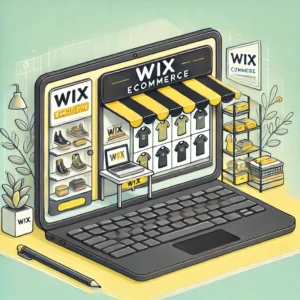
Photo generated from AI
Wix is best known for its user-friendly drag-and-drop website builder, and its e-commerce capabilities are just as smooth. If you’re a creative, a solopreneur, or a small business owner looking to set up a beautiful online store without touching a single line of code, Wix might be your new best friend.
It’s incredibly easy to get started—you can choose from hundreds of designer-made templates and customize everything from the homepage layout to product pages. The platform also includes built-in tools for payments, inventory, and marketing, so you can manage your entire store from one dashboard. While it may not be the most powerful option for larger businesses, it’s perfect for quick setups and visually stunning storefronts.
Pricing and Plans:
Wix’s e-commerce plans start at $23/month, with higher-tier options offering more storage, features, and support for larger catalogs.
Best For: Small businesses, creators, and entrepreneurs who prioritize design and ease of use over deep customization or scalability.
Pros:
- Super intuitive drag-and-drop editor
- Affordable pricing for startups
- Tons of modern, beautiful templates
- Quick and easy to launch
Cons:
- Limited customization compared to platforms like Shopify or WooCommerce
- Not ideal for scaling large or complex stores
- Some features require app add-ons or upgrades
5. Squarespace: Design Meets Functionality
Photo made in canva
Squarespace is the go-to platform for creatives, artists, and boutique brands who want their online store to look as polished as their work. With its award-winning templates and clean layouts, Squarespace helps you create a stunning shopping experience without needing a design degree.
Everything from product pages to checkout flows is beautifully styled out of the box. While it may not have the deepest feature set or the most integrations, it shines when visual impact matters most.
If you’re selling art, handmade goods, or design-driven products, Squarespace makes it easy to build a storefront that truly reflects your brand.
Pricing and Plans:
Squarespace’s e-commerce plans start at $27/month, with higher tiers offering advanced commerce features like abandoned cart recovery and advanced shipping tools.
Best For: Small businesses, designers, and artists who want a gorgeous, user-friendly store without the tech overwhelm.
Pros:
- Beautiful, professionally designed templates
- Simple and clean interface
- No transaction fees on commerce plans
- Great for visually-driven brands
Cons:
- Fewer third-party integrations than platforms like Shopify
- Limited flexibility for custom development
- Not ideal for large or complex product catalogs
6. Etsy: Your Go-To Marketplace for Handmade Goods
Photo made in canva
If your products fall into the handmade, vintage, or crafty category, Etsy might just be your sweet spot. This well-known online marketplace is tailored for artists, crafters, and small-scale makers. One of the biggest perks? Etsy already has a massive audience of shoppers specifically looking for unique, creative items—so you don’t need to build traffic from scratch.
Setting up shop is quick and easy, making Etsy ideal for first-time sellers or side hustlers. However, since you’re working within a shared marketplace, customization is limited. You’re renting a space in Etsy’s ecosystem rather than building your own storefront. Still, it’s a fantastic place to get started and grow your customer base.
Pricing and Plans:
Etsy charges a $0.20 listing fee per item. When you make a sale, you’ll pay a 5% transaction fee, plus a 3% + $0.25 payment processing fee. Optional advertising and promotional tools are available for additional costs.
Best For: Makers, artists, and vintage curators who want to sell to a global audience without building their own website.
Pros:
- Huge built-in customer base
- Quick and easy to launch
- Great exposure for niche products
- No monthly subscription required to start
Cons:
- Limited store customization options
- Competitive marketplace
- Fees can add up quickly as your sales grow
7. Magento: The Flexible Powerhouse
Photo made in canva
Magento is a powerful, open-source platform that’s ideal for businesses that need complete flexibility and scalability. It’s a go-to choice for large enterprises or those with specific, often complex, technical needs. The platform allows for deep customization, making it a top choice if you want to control every aspect of your e-commerce site, from design to functionality.
While Magento is free to use, you’ll need to factor in costs for hosting, development, and maintenance, which can be significant. If you want more advanced features and support, you can opt for Magento Commerce, which starts at around $22,000 per year. This platform is definitely more suited to businesses with the technical expertise or budget to manage it.
Pricing and Plans:
Magento is open-source and free to download, but you will need to invest in hosting, development, and extensions. For enterprise-level businesses, Magento Commerce starts at $22,000/year and includes additional features, support, and cloud hosting options.
Best For: Large businesses or those with a dedicated technical team looking for a highly customizable, scalable e-commerce platform.
Pros:
- Highly customizable to meet specific business needs
- Open-source (free to use with the right resources)
- Scalable for growing businesses
- Strong community support for developers
Cons:
- Requires advanced technical knowledge for setup and management
- Expensive hosting, development, and maintenance
- Not beginner-friendly
Compare the Platforms: Side-by-Side Breakdown
Here’s a handy table comparing the features, pricing, and best use cases for each platform:
| Platform | Best For | Starting Price | Key Feature |
| Shopify | Small businesses | $39/month | Easy-to-use, scalable. Perfect for businesses that need a simple setup and fast growth capabilities. |
| WooCommerce | WordPress users | Free (plus costs) | Full customization. Ideal for those already familiar with WordPress who want total control over their store’s features. |
| BigCommerce | Growing businesses | $39/month | Built for growth. A great option for businesses with plans to expand, offering enterprise-level tools. |
| Wix eCommerce | Beginners | $23/month | Drag-and-drop builder. An intuitive platform that makes it easy for newcomers to create a professional store without any coding knowledge. |
| Squarespace | Creatives | $27/month | Stunning design options. Perfect for visually-oriented businesses wanting an elegant, stylish online store. |
| Etsy | Crafters, artists | Listing fees | Ready-made audience. Best for sellers focused on handmade, vintage, or unique items with an established customer base. |
| Magento | Large businesses | Free (plus costs) | Extreme customization. A powerful platform for large businesses needing extensive customization and scalability. |
How to Choose the Right Platform for Your Business
Choosing the right e-commerce platform is crucial for your business’s growth. With so many options, you must evaluate your needs, budget, and future goals to make an informed decision.
Consider where you are in your business journey. If you’re starting small, look for an affordable and user-friendly platform. For businesses planning to scale, prioritize scalability and future growth. Factor in both upfront and ongoing costs, including transaction fees, to find a platform that aligns with your budget now and in the future.
Key Questions to Ask Yourself When Deciding on a Platform
- How easy is it to use?
Choose a platform that’s intuitive and simple to manage. If you’re not tech-savvy, go for a user-friendly system to save time and effort. - Does it offer the features I need?
Make sure the platform provides essential features like payment gateways, inventory management, shipping options, and marketing tools to support your business model. - Will it grow with my business?
Select a platform that can scale with your business. It should support increased traffic, larger product ranges, and more advanced features as you grow. - What’s the total cost, including transaction fees?
Consider both the monthly fees and any hidden costs, like transaction fees or additional charges for features. What seems inexpensive upfront could cost more over time. - How does the platform handle customer support?
Check the quality and availability of customer support. A responsive, helpful support team can save you time and frustration when issues arise.
Understanding the Different Types of E-Commerce Models: B2B, B2C, C2C
Before diving into the specifics of different e-commerce platforms, it’s crucial to first understand the type of e-commerce model your business will follow. The platform you choose should cater to your specific needs based on your business model.
Business-to-Consumer (B2C) is the most common type of e-commerce. In this model, businesses sell directly to consumers. It’s what most of us think of when shopping online, from Amazon to local boutiques. B2C platforms typically need features like an intuitive shopping experience, integrated payment gateways, and customer relationship management tools.
Business-to-Business (B2B) involves transactions between businesses. Here, the buyer and seller are both businesses, rather than a business and an individual consumer. B2B platforms are built to handle large volume orders, pricing models tailored to bulk purchases, and often include features like quoting systems and customer-specific pricing.
Consumer-to-Consumer (C2C) involves individuals selling to other individuals, typically through platforms like eBay or Craigslist. C2C platforms are designed with ease of use in mind, providing a simple marketplace for sellers to list their products and buyers to make purchases.
Understanding the model that best fits your business helps narrow down the platform options. For instance, B2B businesses often need more complex solutions with bulk discounting and customer management systems, while B2C businesses focus on user experience and simple checkout flows. By clarifying your e-commerce model, you’ll know which platform to choose to best support your goals.
How to Set Up Your E-Commerce Store: Step-by-Step Guide
Setting up your online store can be a straightforward process, but it varies slightly depending on the platform you choose. Here’s a simple breakdown of setting up stores on three popular platforms: Shopify, WooCommerce, and BigCommerce.
Shopify Setup in 5 Easy Steps:
- Sign Up and Choose a Plan: Go to Shopify’s website and sign up for an account. They offer a 14-day free trial to get started.
- Pick a Theme: Choose from a variety of free and paid themes to give your store a professional look.
- Add Products: Upload product descriptions, images, prices, and variants. Shopify allows you to easily add products and customize their settings.
- Set Up Payment Gateways: Integrate payment processors like PayPal, Stripe, or Shopify Payments to accept payments.
- Launch Your Store: Once you’re happy with your setup, hit “Publish,” and your store is live for customers to start shopping.
WooCommerce Setup (For WordPress Users):
- Install WordPress and WooCommerce: First, you’ll need WordPress installed on your domain, then simply install the WooCommerce plugin.
- Choose a Theme: Pick a WooCommerce-compatible theme for your store.
- Add Products: WooCommerce makes it simple to add products, set their prices, and manage inventory.
- Set Up Payment and Shipping Options: Connect payment gateways like PayPal or Stripe and set up shipping methods.
- Go Live: Once everything is set, publish your store!
Big Commerce Setup in 6 Simple Steps:
- Sign Up: Register on BigCommerce and choose your plan based on your business size.
- Choose a Template: BigCommerce offers professionally designed themes that you can personalize.
- Add Products and Details: Upload your products, descriptions, and images with ease.
- Configure Taxes and Shipping: Set tax rates and configure shipping zones for your customers.
- Integrate Payment Methods: Set up your payment gateways, including options like PayPal, credit card processors, or BigCommerce’s integrated system.
- Launch: After finalizing your store, launch it to the public!
Why It’s Important: Following a step-by-step setup guide helps you get your store up and running without any confusion. By choosing the platform that fits your business needs and ease of use, you can focus more on growing your business rather than technical difficulties.
5 Common Pitfalls to Avoid When Choosing an E-Commerce Platform
Photo from https://img.freepik.com
When choosing an e-commerce platform, it’s easy to get swept up in flashy features and promises. However, it’s important to avoid common mistakes that can hinder your store’s growth. Here are a few to watch out for:
- Overlooking Transaction Fees: Some platforms may offer low upfront costs, but transaction fees can add up quickly, especially as your sales grow. For example, Shopify and BigCommerce charge fees for using third-party payment processors, so be sure to factor that into your pricing strategy.
- Underestimating Scalability: Many beginner-friendly platforms like Wix or Etsy are great for small operations, but they may struggle to scale as your business grows. Make sure the platform you choose can accommodate your future business needs, whether it’s adding new products, handling more traffic, or expanding to international markets.
- Not Considering Customization Needs: Some platforms are more flexible than others when it comes to customization. For instance, WooCommerce (a WordPress plugin) offers immense customization, but it requires more technical knowledge. On the other hand, platforms like Shopify or Wix are more user-friendly but may offer less flexibility in terms of design and functionality.
- Ignoring Mobile Optimization: Your e-commerce store must look great on mobile devices. A surprising number of entrepreneurs overlook this important feature, but with the majority of online shopping happening via mobile, a mobile-friendly site is non-negotiable.
- Lack of Integration Options: Platforms differ in their ability to integrate with third-party tools such as email marketing software, CRMs, and inventory management systems. Make sure your chosen platform offers easy integrations for the tools you rely on.
Being aware of these pitfalls will prevent you from facing frustrating surprises down the road. Choosing the right platform upfront saves time, money, and headaches as you scale your e-commerce business.
5 Customer Retention Strategies: Keeping Your Shoppers Happy

Photo from https://img.freepik.com
Attracting customers is just the beginning—keeping them coming back is where the magic happens. Here are a few effective strategies to help retain your customers and turn them into loyal fans:
- Loyalty Programs: Offering a rewards program where customers earn points for every purchase can encourage repeat business. Platforms like Shopify and BigCommerce offer apps that easily integrate loyalty programs into your store.
- Email Newsletters: Collecting email addresses and sending out regular, value-packed newsletters is a great way to stay top-of-mind with your customers. Offer exclusive deals, product launches, and helpful content to keep them engaged.
- Personalized Shopping Experience: Using customer data to personalize the shopping experience is a powerful retention tool. If you know a customer’s preferences, send them tailored recommendations or discounts based on their previous purchases.
- Excellent Customer Service: A friendly, responsive, and efficient customer service team will create trust with your customers. Offering multiple contact options, including live chat and email support, is essential for resolving any issues quickly.
- Follow-Up and Feedback: After a purchase, consider sending a personalized follow-up email thanking the customer and asking for feedback. Not only does this show customers that you care, but it also helps you improve your offerings.
Retention strategies are just as crucial as acquisition strategies. By building strong relationships with your customers, you’re more likely to see repeat sales and positive word-of-mouth referrals, which can lead to sustainable growth.
Final Thoughts: Time to Take Action
There’s no one-size-fits-all when it comes to e-commerce platforms. Whether you’re a small business owner or a growing brand, there’s a platform for you. Shopify, WooCommerce, and BigCommerce are excellent choices for businesses looking to scale, while Wix and Squarespace are perfect for creatives or beginners. Etsy is great for those selling unique, handmade products, and Magento is a powerhouse for large businesses with specific needs.
Take your time, weigh the pros and cons, and choose the platform that will best help you succeed.
Frequently Asked Questions (FAQs)
Can I switch platforms later?
Yes, but it can be time-consuming. Plan ahead if you think you might outgrow your platform.
Can I sell on multiple platforms?
Yes! Many businesses sell on Etsy, Shopify, and their own website.
What if I’m not tech-savvy?
Platforms like Wix and Shopify are great for beginners with minimal technical skills.
Can I integrate payment gateways?
Most platforms support popular payment gateways like PayPal and Stripe.
How do I handle shipping?
Most platforms offer built-in shipping tools, or you can integrate third-party apps.
What platform is best for SEO?
WooCommerce and Shopify both offer great SEO tools.
Can I try platforms before committing?
Most platforms offer free trials, so you can test them out before making a decision.